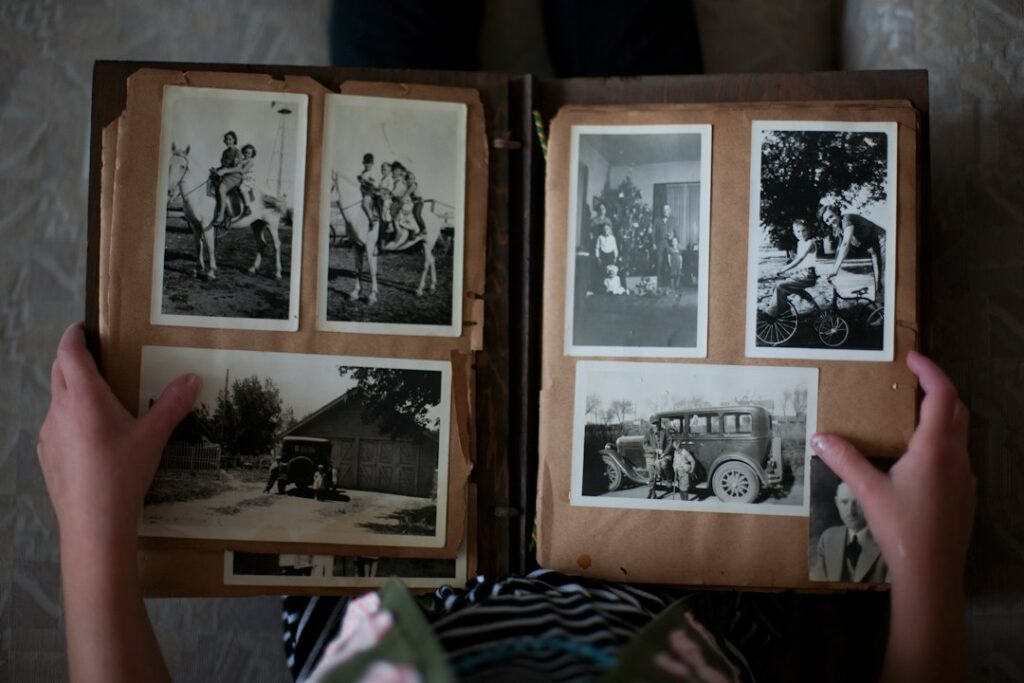
An old family photograph can be meaningful even when it is faded, scratched, or blurred. AI editing may produce a clearer-looking version, but a convincing face or uniform is not proof that the software recovered what was originally there. Start with the family memory you want to preserve, then decide which changes are acceptable.
Guided practice · Beginner
Check an edit against the owner’s brief
Review four reported changes and write a clear revision note that preserves the original and the sharing limits.
- Time: about 10–15 minutes.
- Device: a phone, tablet or computer.
- Access and cost: practise free on this page with no account. An AI text-chat tool is optional; its own access limits and prices apply.
All notes are fictional. No photograph or photo editor is needed. This text exercise checks scope and evidence; it does not measure restoration quality.
Need help? Copy the exercise or Handle invented details.
Keep the original separate from the interpretation
Save an unchanged scan or photograph of the print before editing. Work on a separate copy and use filenames that distinguish the original, the edited version, and any colorized interpretation. Avoid repeatedly saving over the only digital copy.
If you handle a physical print, follow the Library of Congress guidance on caring for photographs. Handle photographs carefully by their edges and keep the work area clean. Fragile, stuck, or badly damaged originals may need a conservator; an AI app cannot repair the physical object.
Agree on the kind of change
Lightening a dark scan is different from generating a missing face. Ask the owner whether they want modest cleanup, an enlarged display copy, or a clearly labeled creative interpretation. Do not describe generated colors or reconstructed details as historically verified.
For example, a family may want dust marks reduced but prefer to retain the original grain. Another may enjoy an imagined color version while keeping the black-and-white original alongside it. Those are different projects, with different expectations.
Practise reviewing an editing report
Compare B1 and B2 with each reported change before reading the worked example. You can make the decisions yourself or copy all the notes into a new AI chat.
This is a fictional, text-only review of an editing report. No photograph is supplied. Compare the owner’s brief with the reported changes; do not claim to assess image quality or recover historical facts.
B1 — Owner’s brief: modest brightness adjustment and dust reduction only. Preserve the people, faces, clothing and background. No generated details or colorization.
B2 — Sharing permission: a private family review copy only. Public posting, a portfolio and sale are not approved.
D1 — File record: unchanged FamilyPhotoA_original.tif is retained. The current draft is FamilyPhotoA_v2.jpg.
C1 — Editing report: brightness adjusted and dust reduced. The actual image still needs side-by-side inspection.
C2 — Editing report: a brooch was generated to replace an unclear patch on clothing. There is no reliable reference for the brooch.
C3 — Editing report: the caption “1948” was added based on visual style. No date source is supplied.
C4 — Editing report: a person at the edge was cropped out for a cleaner composition. The owner did not approve that change.
Return a decision for C1–C4, with the supporting brief/source ID: within scope but inspect before accepting, undo, or hold for missing evidence. Then write a short current-draft note naming the original and edited files, the revisions still needed and the permitted audience.
Do not say the repairs are complete, the photo is historically accurate, the owner has approved it, or it is ready for sale. Do not upload, edit or share anything.
Worked example: what can stay, what must change
This is an illustrative review of fictional notes. No photograph was inspected or edited.
- C1 — Within scope, but inspect before accepting. B1 allows brightness and dust adjustments. C1 says the actual image still needs inspection, so acceptable scope does not establish acceptable quality.
- C2 — Undo the generated brooch. B1 excludes generated details, and C2 supplies no reference. Preserve the unclear original area rather than presenting invented jewelry as recovered history.
- C3 — Remove the “1948” caption. C3 provides no source for the year. Keep the date unknown; a guessed year does not become reliable because it appears on the edited image.
- C4 — Restore the full composition. B1 says to preserve the people and background. C4 reports an unapproved crop that removed a person.
Current-draft note: “Original: FamilyPhotoA_original.tif, retained unchanged according to D1. Draft: FamilyPhotoA_v2.jpg. Brightness and dust changes are reported and still need visual checking. The generated brooch, unsupported year and cropped-out person require correction before approval. For private family review only; public posting, portfolio use and sale are not approved (B2).”
Spot the mistake: “Historically accurate and ready for sale”
No image was inspected, no source supports the year or brooch, and B2 does not permit a sale. The report also lists changes that exceed B1.
Repair: mark this as a draft for private family review, list the required reversals and ask the owner to review the corrected file. Do not describe a planned correction as completed.
Three checks: every decision cites its brief or report item; the original remains separately identified; and the revision note distinguishes reported work, required corrections and actual approval.
Compare the result at full size
Place the original and edited image side by side. View the entire picture, then inspect important areas at 100% zoom. Check:
- Faces, expressions, hairlines, glasses, and the number and shape of hands and fingers.
- Names, dates, signs, insignia, jewelry, and patterns on clothing.
- Missing or duplicated people and objects, including the background.
- Edges around repaired areas and skin that has become unnaturally smooth.
Use another confirmed family photograph or the owner’s knowledge to check uncertain details. If there is no reliable reference, label the uncertainty or undo the change. A sharper invented face can be less useful than an honest blur.
Check permission and the tool’s terms before uploading
Confirm that the person providing the image has permission to share it and authorize the proposed use. Family photographs may contain sensitive information about living people. Review the current tool’s upload, retention, training, deletion, and commercial-use terms for the specific account and feature you will use. Do not assume a desktop application works entirely offline.
Our article on giving AI useful context without oversharing explains the same principle: share only what the task needs. Permission to edit a photograph is not automatically permission to display it in a public portfolio.
If you offer this as a paid service
Begin with one small pilot whose owner understands the limits. Write down the number of photos, requested changes, file format, delivery date, included revisions, price, and what happens if a satisfactory result is not possible. Avoid promises of exact recovery or guaranteed income.
Time the complete job: scanning, editing, comparison, communication, and revisions. Include software and payment costs before deciding whether the price is worthwhile. See how to define an AI service people understand for a simple way to describe a bounded offer.
Deliver the unchanged digital original, the labeled edited version, and a short note describing significant changes. Ask the owner to approve the result before sharing it further. The useful service is careful, transparent work that respects the memory behind the photograph.
Illustrative photo by Laura Fuhrman on Unsplash.


