AI can help a community theatre group explore a visual idea before building anything. It can organize scene notes, suggest a color palette or produce a concept image for discussion. That can be useful when volunteers need a shared starting point.
A concept image is not a construction drawing, a lighting plot or a programmed show. It may contain impossible spaces, unsupported scenery or lights that could not produce the illustrated result. Treat the image as a conversation about appearance, then develop the real production with the appropriate people.
Begin with the story and the room
Write a brief describing the production’s setting, tone, number of scenes and essential actions. Add the confirmed venue dimensions, available equipment, budget, crew and rehearsal time. Mark anything you do not know as a question for the venue.
Use your own scene summary where possible. Do not upload a complete licensed script, confidential production plan or performers’ personal information unless you have permission and the tool is appropriate for that material. A short description of the design problem often provides enough context.
List the features the production genuinely needs. A scene may require a table and a clear entrance, while an elaborate balcony is only a visual suggestion. Keeping requirements separate from preferences makes later decisions easier.
Ask for alternatives that respect constraints
Propose three visual concepts for a small community theatre scene set in a waiting room. We have two chairs, one table and an existing neutral backdrop. Suggest color and arrangement ideas using these items. Do not invent venue dimensions, equipment, construction details or costs. Label each idea as a concept and list questions for the production team.
This fictional example keeps the exercise modest. You can compare the concepts by mood, visibility and complexity. The assistant might suggest a stark arrangement, a warmer domestic feeling or a more abstract space. The director and designer decide whether an idea serves the scene.
If you generate images, request the same viewpoint for each option so comparisons are easier. Inspect the results for blocked entrances, inconsistent furniture, impossible geometry and unwanted text. Remove an image that creates more confusion than it resolves.
Know which kind of digital tool you are using
Vectorworks describes its AI Visualizer as a tool for entertainment-design ideas, including scenic imagery, image props, textures and backgrounds. Those outputs can support early discussions. A convincing rendering still needs to be checked against the actual design and venue.
Lighting visualization is a different activity. ETC’s Augment3d learning resources describe a three-dimensional programming environment for Eos users. That is not evidence that a general chatbot can safely program or operate your lighting system.
Before buying software, ask whoever will use it whether it fits the venue’s existing equipment, files and skills. A volunteer group may get more value from a clear sketch and a conversation with its technician than from a package nobody has time to learn.
Turn concepts into questions and decisions
Make a one-page comparison with the intended effect, items already available, items to source, unresolved questions and estimated preparation time. Replace AI-estimated prices with actual supplier quotes. Include delivery, setup, storage and removal rather than considering only a rental headline price.
For each scene, record the desired audience experience in ordinary language: a warmer room, a change of time or attention moving to another acting area. The lighting designer can translate that intention into suitable equipment choices and cues. Do not invent fixture settings because a chatbot supplied numbers.
Keep a decisions column showing what the team has accepted. A concept discussed in an email is not automatically an approved build or hire. Name the person responsible for each follow-up and obtain their agreement.
Leave physical safety with the responsible team
Scenery stability, suspended equipment, electrical supply, safe access and work at height require competent assessment. The UK’s HSE theatre guidance describes responsibilities and production hazards, including access, equipment and manual handling. Follow the rules applicable to your own location and the venue’s procedures.
Do not use AI output as approval for rigging, structural loads, electrical changes or special effects. Bring uncertainties to the venue manager and qualified technicians before hiring, building or installing anything. A design that cannot be realized safely within your resources needs to change.
Test the approved design in rehearsal
Check the real arrangement with the performers and crew. Look at sightlines from different audience positions, scene-change timing and whether the intended visual focus works. Record actual observations rather than asking AI to infer success from a rendering.
An assistant can summarize approved rehearsal notes into a task list. Keep changes controlled by the director, stage manager and relevant designers, with a clear current version. Do not connect an untested chatbot to live-show controls.
Label generated concept images when presenting them to collaborators or clients. Our article on disclosing AI assistance explains that practical distinction. The finished brief should make the next conversation clearer: the creative intention, known constraints, agreed decisions and remaining questions.
Prepared with AI assistance and checked against the linked sources. Reviewed September 27, 2026. This article is for general information. See our disclaimer.
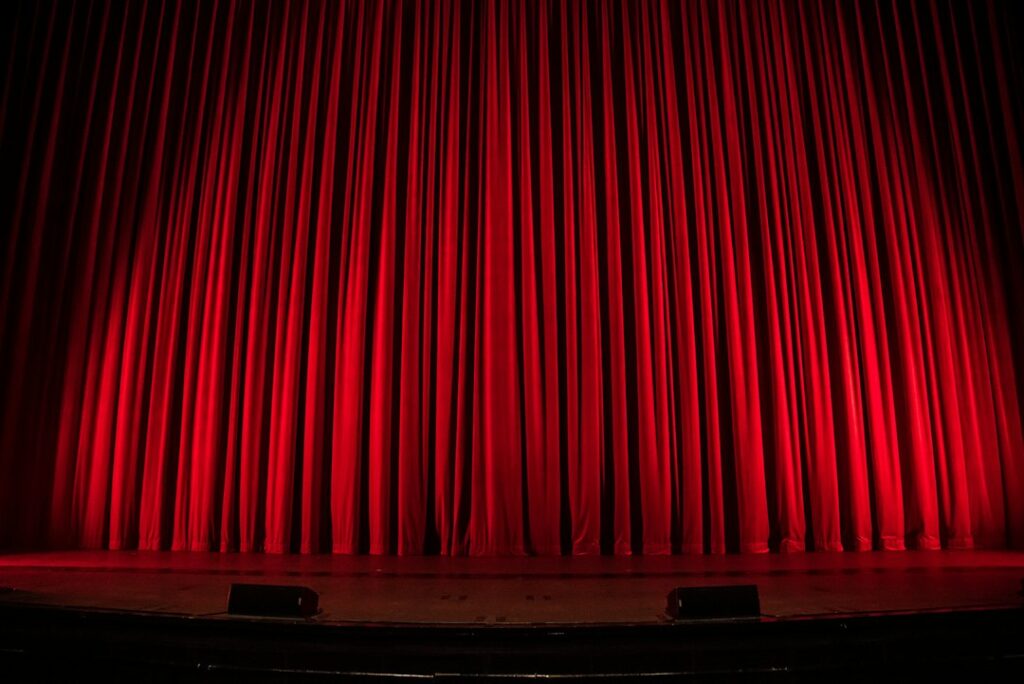
Featured photograph: Rob Laughter on Unsplash. The stock photograph illustrates the topic and is not a demonstration of an AI tool’s output.


