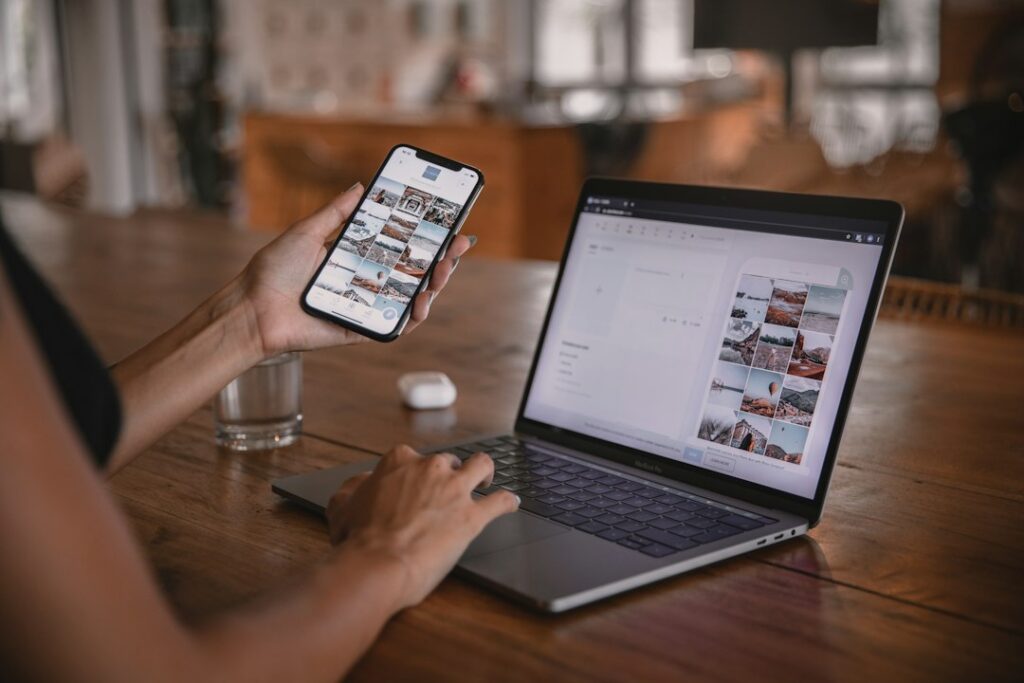
Imagine you’re in a noodle shop in Japan. The menu is printed in Japanese, the Wi-Fi password is on a slip of paper you can’t read, and lunch is starting to look like a guessing game. If you downloaded Japanese and English before you left home, you can point your phone at the menu and get a translation right there.
Google Translate can translate through the camera without a connection on both Android and iPhone, as long as your languages are available to download. The catch is that the camera has to read the lettering first. And even a perfectly translated dish name may leave out the one ingredient you care about. A menu, a station board and a note taped to a door show where that distinction matters.
Set up the camera before you lose your signal
On Wi-Fi, open the Google Translate app. Tap Camera and open the language selector. Choose the language you expect to see and the language you want to read. Download both if they aren’t already saved. If a language has neither a download button nor a downloaded mark, choose another option for that trip. Google provides separate camera instructions for Android and iPhone.
Prefer Apple’s Translate app? It also supports downloaded languages for offline use, including Japanese and English. If that’s the app you’ll use, open Settings → Apps → Translate → Languages to download both languages for Apple Translate. Its Camera view lets you freeze the image and zoom in on a line.
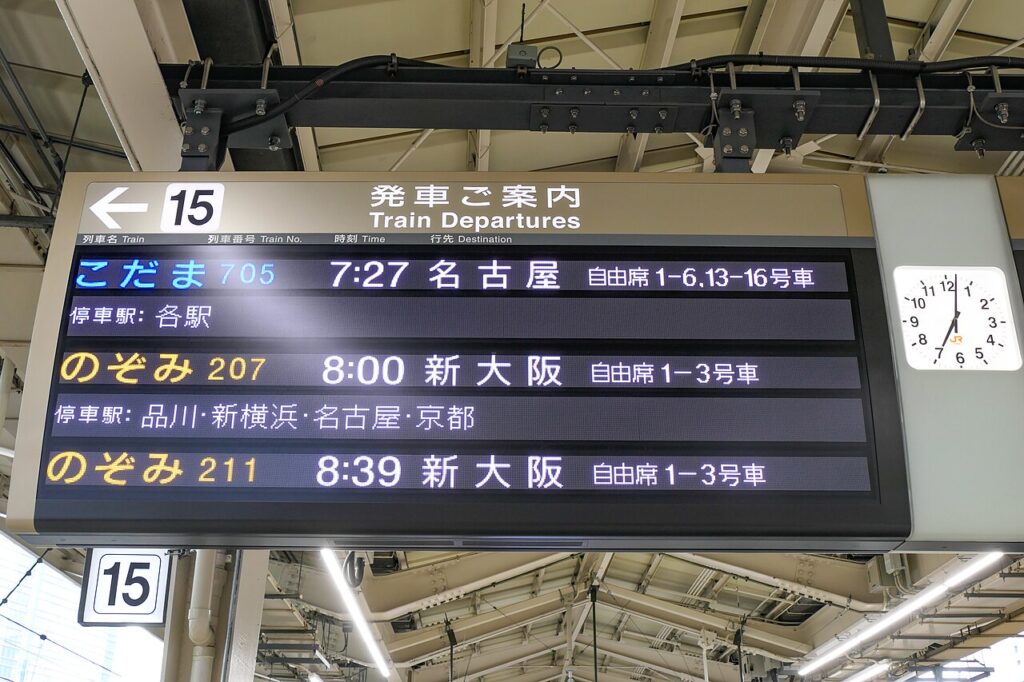
Try it at the kitchen table. Open the Tokyo Station photograph linked below on another screen. Turn on airplane mode on your phone and make sure Wi-Fi is also off. Open your translation app, select Japanese to English, and aim at one row of the sign. If the camera asks for permission, allow access. If the words don’t appear, reconnect and check the downloads while you still have time to fix them.
What a printed menu tells you about the bowl
Aim at one menu item, including the smaller line underneath it. Tap the shutter button to hold the view still. A straight-on shot of one dish is easier to compare with the original than a whole glossy page reflected in the window.
Take kitsune udon. Even if you learn that it’s a noodle soup topped with fried tofu, you still don’t know what went into the stock. Japan’s Ministry of Agriculture describes an Osaka version of kitsune udon made with kelp and mackerel flakes. A diner looking for lunch may have learned enough. A diner with a fish allergy needs an answer from the kitchen.
The CDC’s advice for travelers with food allergies is to ask about ingredients and give restaurant staff a card listing your allergies in the local language. Food Allergy Research & Education offers printable chef cards in Japanese and other languages. If staff can’t confirm the dish is safe for you, choose something else.
How to tell two trains with the same destination apart
Look at MaedaAkihiko’s photograph of the platform 15 board at Tokyo Station. The headers are already bilingual. Under “Destination,” two rows show the same Japanese characters, 新大阪, for Shin-Osaka. Recognizing the destination gets you only halfway to the train you booked.
| Train | Departure |
|---|---|
| Nozomi 207 | 8:00 |
| Nozomi 211 | 8:39 |
Suppose your ticket says Nozomi 211. Both trains use the same platform in the photo, both are called Nozomi and both go to Shin-Osaka. The train number and time tell you which one to board. Compare those details with your ticket and the current station display. A saved translation of yesterday’s board can’t tell you about today’s platform change.
When the camera misses part of a handwritten note
Picture a note taped to a shop door. The app gives you “Back at …” and leaves a blank where the hour should be. It has understood the least important part of the note. Google identifies small, unclear and decorative lettering as trouble spots. Move in until the note fills the frame, avoid the glare from the glass and take a still picture.
In Google Translate, freeze the view and use Show original text to see what the camera thinks it read. Compare the captured time with the ink on the door. If you can make out the missing word or number, type the whole line into Translate. If the crucial detail is still a guess, show the photo to someone nearby and ask, “What time do they reopen?”
That’s how far a phone can take you without a signal. It can help you choose a bowl of noodles or find your train in a row of unfamiliar names. When an ingredient is missing or two trains look alike, it can also give you the words to ask a much better question.
Sources and further reading
- Google’s guide to checking and updating offline language downloads
- Apple’s illustrated guide to translating a sign or a saved photo
- FARE chef cards to prepare before a trip
- AI Over 40’s guide to planning a trip with AI and checking the details
Sources checked November 12, 2026. The train rows are transcribed from the photograph. The menu and handwritten-note situations are illustrative. The app guidance comes from the manufacturers’ documentation. Read how AI Over 40 checks its sources.
Featured photograph by MaedaAkihiko / Wikimedia Commons, CC BY-SA 4.0 (resized).