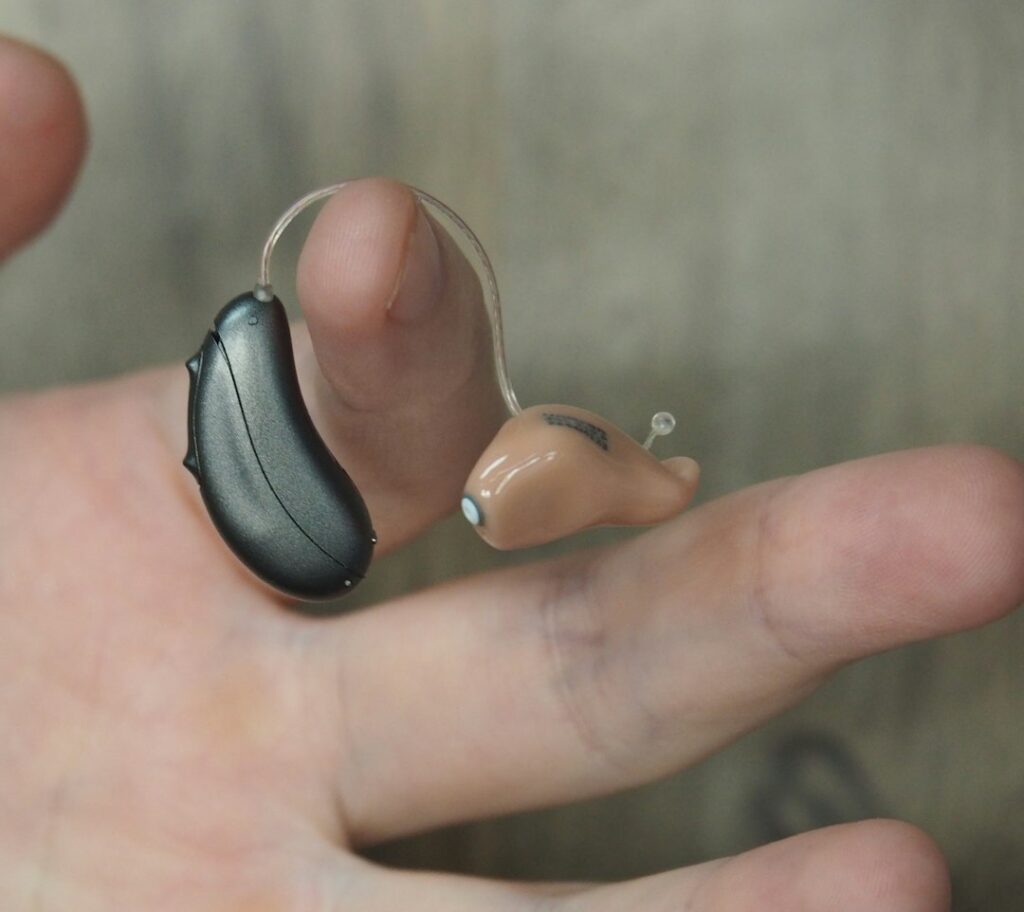
AI can help turn speech into captions or contribute to sound-processing features, but “AI-powered” does not tell you whether a product meets your hearing needs. Start with the situation you want to improve: a work call, conversation across a table, television, or hearing in several everyday settings.
People in their 40s, 50s, and beyond have different hearing histories and preferences. There is no single device everyone should buy at a particular birthday. A useful choice matches the difficulty, the product’s intended use, and the support available if it falls short.
Know when shopping should wait
NIDCD treats sudden hearing loss as a medical emergency. Seek medical care immediately rather than assuming a blocked ear, running repeated app tests, or waiting for new earbuds to arrive.
The FDA’s OTC hearing-aid guidance also lists symptoms that call for medical evaluation, including ear pain or drainage, dizziness, fluctuating hearing, and worse hearing or ringing on one side. A hearing professional can help assess persistent difficulty and discuss suitable options. An online screening result is not a complete examination.
Separate four kinds of help
Hearing aids are medical devices intended to address hearing loss. In the United States, over-the-counter hearing aids are for adults 18 and older with perceived mild to moderate hearing loss. Prescription devices and professional services may be appropriate for other needs. OTC availability does not prevent you from seeking an evaluation or fitting help.
Personal sound amplification products are different: they are intended to amplify sounds for people with normal hearing in particular situations. They should not be presented as equivalent substitutes for hearing aids just because both make sound louder.
Assistive listening systems, such as compatible microphones or hearing loops, address how sound reaches a listener. Compatibility with a particular hearing aid or receiver matters. Useful assistive technology does not necessarily use AI.
Automatic captions turn speech into readable text. They can complement listening, but they neither treat hearing loss nor guarantee an exact transcript. Check important names, amounts, appointment times, and instructions directly with the speaker.
Try a caption feature you may already have
One current example is Windows Live Captions. Microsoft documents it for Windows 11 version 22H2 and later. It can caption device audio, with an optional microphone setting for nearby speech. Translation has separate hardware and version requirements, so do not assume every computer supports it.
On a supported computer, look under Settings, Accessibility, Captions. Start with a familiar, non-sensitive video and adjust caption size and placement. Compare a few sentences with the spoken words. If you use a microphone for conversation, tell the other people and obtain their agreement before processing their speech.
Microsoft says this feature processes audio locally and does not store generated captions. That statement applies to this documented feature; another meeting app, recorder, or transcription service can have different storage and sharing practices. Check the actual tool you are using.
Translate AI marketing into testable questions
Ask a seller what the named feature does: changes a listening program, emphasizes speech, offers captions, adjusts settings, or something else. Request evidence for the exact model and feature rather than accepting a study about another product.
If a percentage improvement is advertised, ask what was measured, compared with what, and under which listening conditions. Laboratory performance does not tell you everything about a crowded restaurant or the voices you regularly need to understand. Avoid promises that a device restores normal hearing or prevents every future health problem.
Do not infer clinical endorsement from “FDA registered.” The FDA warns that registration and certification language can be misleading. Read the labeling and intended use for the actual device.
Plan the practical trial before paying
Write down three listening tasks that matter to you and check the written return terms before purchase. Do not assume every seller provides the same trial or warranty. Ask who helps with fit, troubleshooting, repairs, and adjustment, and which services cost extra.
During an appropriate trial, note whether following conversation is easier and what remains difficult. Also check comfort, charging, phone compatibility, controls, and whether you can manage the device without struggling with its app. A feature-rich product is not useful if its everyday operation is frustrating.
Share those observations with the hearing professional or support provider. If a device hurts, performs poorly, or does not meet your needs, seek help rather than repeatedly increasing volume or trusting automatic adaptation to solve everything.
For ringing or buzzing concerns, our tinnitus notes article explains a separate appointment workflow. Choose technology for a defined communication benefit, and keep medical assessment distinct from the marketing label.
Reviewed September 28, 2026. Written and revised with AI assistance; this article has not been individually reviewed by a healthcare professional. General information only, not medical advice. See our disclaimer.
Photo: Mark Paton on Unsplash. A hearing aid shown for illustration; the photo does not establish its model, AI features, or suitability for any reader.


