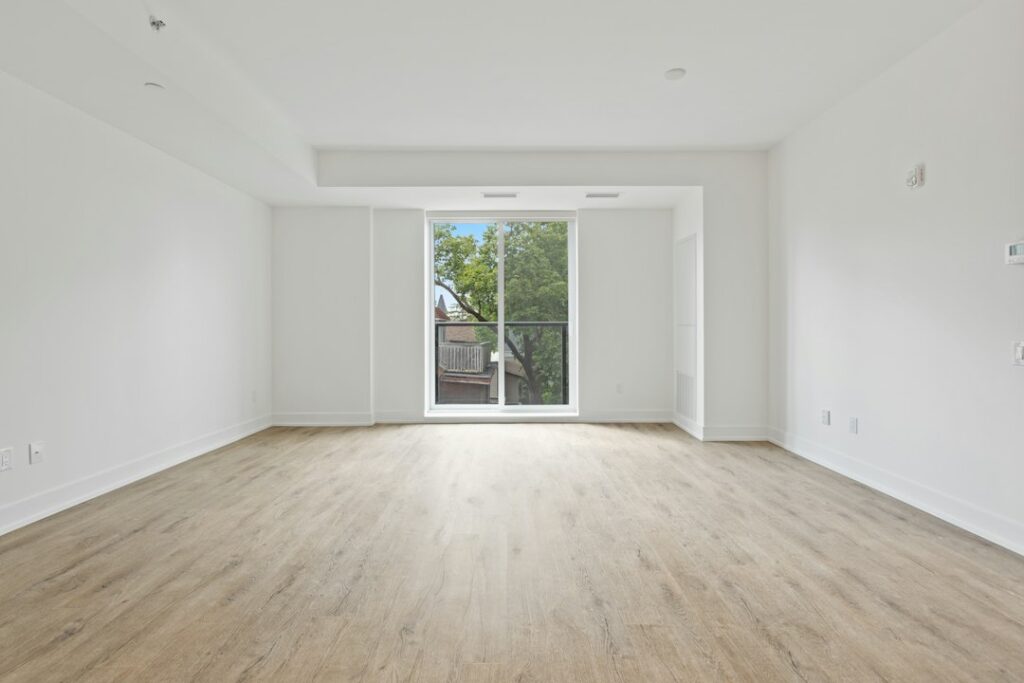
An empty room can be difficult to furnish in your mind. Virtual staging adds furniture and decoration to an image so a potential buyer can consider possible uses. AI can make that process faster, but the finished image still needs to represent the property honestly.
The useful goal is to explain possibilities while keeping the existing condition easy to see. A convincing sofa is helpful only if the room’s size, windows, doors, and permanent features remain trustworthy.
Know which experience you are buying
A virtually staged photograph is an edited still image. A navigable tour connects views or uses a three-dimensional model so someone can explore the space on a screen. Virtual reality is a viewing experience that may use a headset. A service can offer one without offering the others.
Ask for the actual deliverable: individual photographs, a browser-based tour, editable design files, or a headset experience. An AI-generated room view does not establish accurate dimensions. A realistic image may be produced without a measured survey or any visit to the property.
For a straightforward listing, labeled photographs might be enough. If a supplier proposes a tour, try a sample on an ordinary phone and laptop. Check whether controls are understandable, rooms connect sensibly, and the original property remains distinguishable from decorative suggestions.
Keep the building intact
Adding a dining table or rug can communicate a possible layout. Removing a crack, moving a doorway, replacing damaged flooring, or inventing a better view changes information a buyer may reasonably rely on. An instruction to “make this room more appealing” is too open-ended for property advertising.
A more useful brief identifies permitted changes and fixed features. For example: “Suggest furniture for this empty living room. Keep every wall, window, doorway, floor finish, fixture, and exterior view unchanged. Do not conceal damage. Treat the result as a labeled furnishing concept.” This illustrative prompt is a starting instruction, not an assurance that the output will comply.
Compare the output with the original at full size. Then inspect it on a phone. Check the corners, reflections, window frames, sockets, and door openings. Furniture should not block a route or become implausibly small just to make the room feel bigger. Compare several views of the same room for contradictions.
Label the change where people see it
Keep the original photograph and make it easy to compare with the staged version. Place an understandable label alongside the altered image, and check that the label survives a gallery thumbnail, exported brochure, or social-media crop. A disclosure hidden on another page is easily missed.
Requirements depend on location and the listing service. As one concrete example, the California Department of Real Estate’s March 2026 AI advisory explains that, from January 1, 2026, covered digitally altered real-estate advertising images require clear disclosure and access to the original image. It also emphasizes licensee and broker responsibility for accuracy. This is a California example, not a description of every jurisdiction’s rules.
Before publishing, have the responsible agent or broker check the applicable advertising requirements and listing-platform policies. Do that before commissioning a large set of images; it is easier to specify the correct originals and labels at the outset.
Use staging to ask better questions
Consider an illustrative buyer comparing two layouts for one room: a home office and a guest room. The staged images can reveal different ways to arrange furniture. The buyer still needs measurements to know whether their own desk fits, and an inspection to understand the building’s condition.
A seller can support that comparison with verified room dimensions, clear original photographs, and an accurate description of what is included in the sale. Keep decorative additions separate from fixtures, finishes, or renovations that actually exist.
When collecting images, remove personal documents and unnecessary identifying details before uploading them to a staging tool. Check who may store, reuse, or publish the uploads and whether you have permission to edit the photographs.
If you want to offer this as a service
Start with a small, clearly scoped job: a stated number of rooms, permitted furnishing changes, the required image size, labels, original-image delivery, and a revision limit. Specify who approves factual accuracy and who publishes the listing. Keep a record of the approved versions.
Assess the work by correction time, visual consistency, and whether viewers can understand the actual property. Do not promise a higher sale price or a faster sale without evidence supporting that claim. Attractive images can help communication; they cannot control pricing, local demand, or a buyer’s decision.
Related reading: AI Floor Plans: Useful Layouts, Measurements to Check.
Featured photograph: Point3D Commercial Imaging Ltd. via Unsplash. An empty room illustrates the starting point for staging; no staged result or listing is being endorsed.
Updated September 27, 2026. This AI-assisted article draws on the linked sources. Examples described as illustrative are hypothetical. This is general information; see our disclaimer.


